
ABB 4600 Manual: Fault Diagnosis Before Parts Replacement
Use the correct ABB IRB 4600 manual, alarm history, equipment labels, and operating evidence to diagnose faults before replacing robot components.
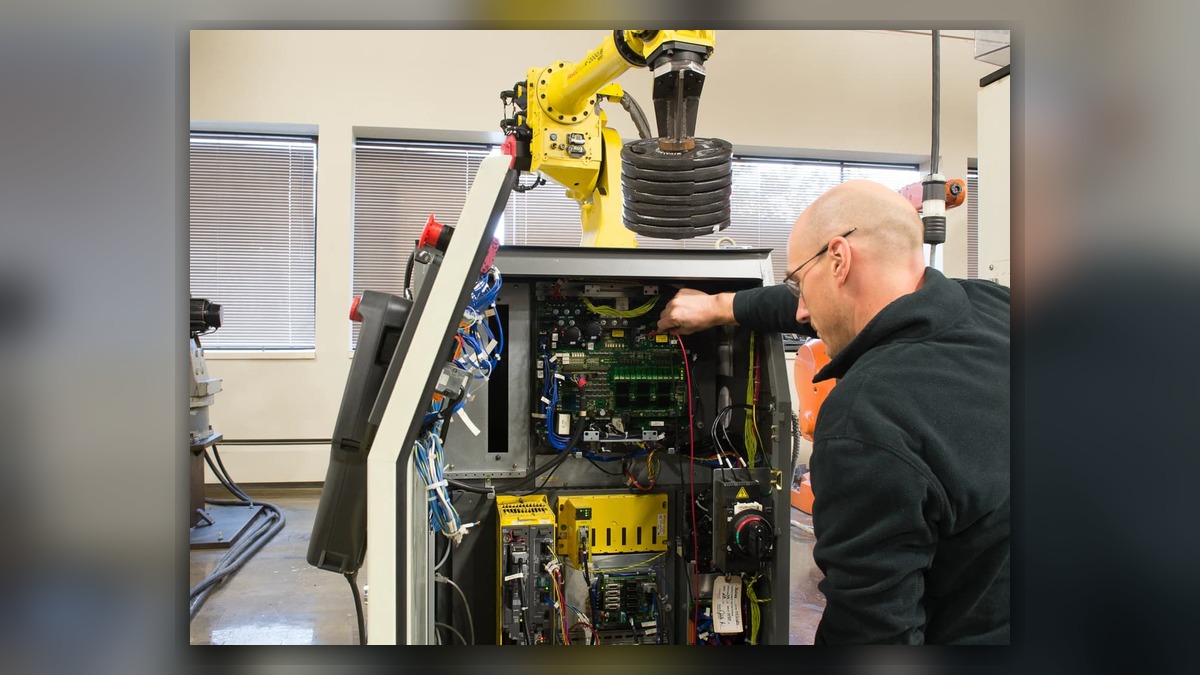
An ABB 4600 manual should be the starting point for diagnosing an IRB 4600 fault, but it must match the installed robot, controller, options, and hardware revisions. Potentially involved systems include the controller, manipulator, axis drives, motors, feedback circuits, cabling, safety circuits, and application equipment. Before troubleshooting, record the complete alarm text, affected axis, operating condition, and equipment labels. One alarm or visible symptom cannot independently prove that a motor, drive, cable, or mechanical unit is damaged.
Symptoms and Scope
This guide applies to fault triage on ABB IRB 4600 robots when maintenance personnel need to identify the relevant documentation and build an evidence-based diagnostic path. It does not define the meaning of a specific ABB alarm or replace the product manuals supplied for the installed system.
The robot model alone is insufficient for selecting procedures or parts. An IRB 4600 installation can differ by controller generation, RobotWare configuration, manipulator variant, options, external axes, dress equipment, and application interfaces. Instructions intended for another controller or robot variant may reference different components, menus, connections, or service procedures.
Finding the Correct ABB 4600 Manual
First identify the document required for the current task. Operating instructions, product manuals, electrical diagrams, spare-parts documentation, safety instructions, and controller troubleshooting information serve different purposes. A manipulator product manual may support mechanical inspection, while controller documentation is normally required for cabinet, drive, power, or system-startup diagnosis.
Check the robot and controller identification labels before relying on a downloaded document. Confirm the complete manipulator designation, controller model, serial information, installed software information where available, and the identity of the suspected component. Verify that the manual revision and stated equipment scope match the installed system. If the match cannot be established, stop before using connector references, part numbers, adjustment procedures, or component-removal instructions.
Information to Record First
Complete alarm code and full text:
Date and exact time:
Faulted axis:
Robot position/posture:
Program step or motion:
Actual speed and load condition:
Reset result:
Time until recurrence:
Related power, communication or feedback alarms:
Also preserve the alarm history rather than recording only the final message. An earlier power, safety, communication, or feedback alarm may explain a later motion stop. Photograph the robot, controller, suspected component label, connectors, and visible damage without opening energized equipment or entering a hazardous area.
Safety and Preparation
Place the robot in a safe condition under the factoryâÂÂs lockout, isolation, and access-control procedure. Stored energy, gravity-loaded axes, pneumatic tooling, process equipment, and external axes can remain hazardous after motion stops. Electrical cabinet inspection, protective-device testing, brake work, and mechanical disassembly should be performed only by suitably competent personnel using the applicable ABB documentation and site safety procedure.
Do not repeatedly reset or move the robot merely to reproduce an intermittent fault. Observation under motion may be performed only by qualified personnel under controlled conditions and in accordance with the applicable operating information. Preserve backups and diagnostic records before changes are made.
Diagnostic Sequence
1. Confirm the equipment identity. Match the robot model, controller model, software context, component labels, and manual scope. If any identity is uncertain, resolve it before ordering parts or following component-specific instructions.
- Review the complete event sequence. Determine which message appeared first, whether the fault occurred during startup or motion, and whether it followed maintenance, a collision, a tool change, a power event, or work near a cable route. Treat these circumstances as diagnostic context, not proof of a cause.
- Inspect low-risk external conditions. With the system safely isolated where required, look for loose external connections, damaged cable jackets, contamination, blocked cabinet airflow, displaced dress equipment, impact marks, fluid exposure, or an abnormal tool or payload condition. If visible damage is found, document its location and identify the connected components before disturbing it.
- Separate stationary and motion-related behavior. A fault that appears only in a particular posture may justify inspection of moving cable routes or posture-dependent mechanical loading. A startup fault may require a different branch involving controller power, communication, configuration, or safety status. Neither pattern alone confirms cable, drive, motor, or mechanical failure.
- Follow the matched manualâÂÂs alarm procedure. Use the complete alarm code and earlier event history to select the documented branch. Do not substitute a similar alarm from another ABB controller or software release. Record each observation, decision condition, and result so that the next technician can reproduce the reasoning without repeating risky actions.
- Escalate component testing when field checks are inconclusive. Suspected drives, motors, feedback-related components, teach pendants, and controller assemblies may require controlled bench inspection. Before repair or replacement, match the exact model, part number, hardware revision, and connector layout.
Common Diagnostic Mistakes
A frequent error is searching only for an âÂÂABB 4600 manualâ and assuming every result applies to the installed controller. Other mistakes include replacing the component named nearest to an alarm, clearing the history before recording it, overlooking an earlier alarm, changing parameters without a recovery plan, or using an unmatched spare part.
Another mistake is treating temporary operation after reset as confirmation that the fault is resolved. The reset result is evidence, but intermittent wiring, thermal, communication, power, or mechanical conditions may remain. Verification should be based on the original operating context and the applicable maintenance instructions, without deliberately repeating an unsafe event.
When Professional Inspection May Be Appropriate
Professional support may be appropriate when documentation cannot be matched, the alarm returns, physical damage is present, cabinet-level testing is required, or the suspected assembly cannot be evaluated safely on site. The verified ABB robot repair service page at https://autonews.best/abb-robot-repair provides a relevant route for further inspection information.
ZHB is an independent industrial robot inspection, repair, and maintenance service provider that also supplies parts to overseas customers. For one repair inquiry, provide the robot model, controller model, complete alarm code, alarm history, component label, fault conditions, and clear photographs. Include the operating posture and whether the issue began after maintenance, impact, contamination, or another identifiable event. This information helps determine whether remote triage, component inspection, or on-site industrial robot repair is the appropriate next step.
Verification After Repair or Replacement
After authorized work, confirm that all connections, covers, grounding provisions, cable routes, tooling, and safety devices have been restored according to the matched documentation. Review the alarm history, confirm that the intended software and calibration data remain available, and verify the affected function first under controlled conditions.
Any motion check should begin conservatively and be performed by competent personnel within the siteâÂÂs approved restart process. Confirm normal behavior in the relevant operating range without introducing an unverified load, speed change, or program modification. Record the final configuration, installed part identity, test conditions, and acceptance result for future maintenance.
Conclusion
Correct ABB IRB 4600 troubleshooting depends on more than locating a document by robot name. Match the ABB 4600 manual to the controller, robot variant, software context, and task; preserve the complete alarm sequence; inspect low-risk external conditions; and follow the documented diagnostic branch. Component repair or replacement should follow evidence and exact identification, not an alarm name or a temporary reset.