
Industrial Robot Unable to Switch to Automatic Operation? Troubleshooting Methods from Safety Circuits to External Interlocks
When a robot operates normally in manual mode but cannot enter automatic mode, it is usually related to the safety circuit, mode selection, external interlock, or communication status. This article provides a layered troubleshooting process applicable to ABB, FANUC, KUKA, YASKAWA, and general-purpose robots.
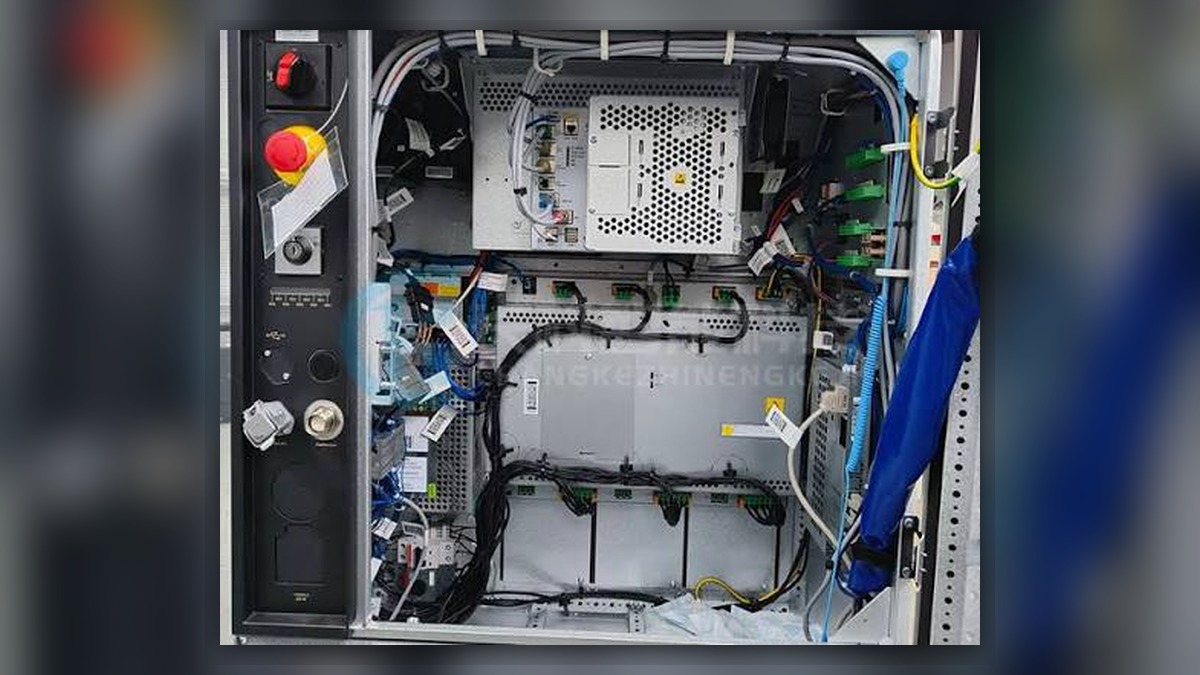
An industrial robot operates normally under manual control but fails to start after switching to automatic mode. This should not be immediately judged as a controller failure. Robots such as ABB, FANUC, KUKA, and YASKAWA all require conditions related to safety, mode, program, and external equipment to be met. It is recommended to check step by step along the signal chain.
01. Record Alarms and Stop Status
Preserve the controller alarm codes, event logs, and status of on-site indicator lights. Confirm whether the fault occurs during mode switching, servo enable, or program startup. Do not repeatedly reset, as this may lose clues to intermittent faults.
02. Check the Safety Circuit
Confirm the status of emergency stop buttons, safety doors, light curtains, safety PLCs, and external emergency stop circuits. Focus on checking contact chatter, loose connectors, and inconsistent dual-channel signals. When dealing with safety circuits, power must be disconnected and lockout/tagout procedures must be performed. Short-circuiting or bypassing safety functions is prohibited.
03. Verify Operating Mode and Permissions
Check the control cabinet mode selector switch, teach pendant status, and operator permissions. Some systems also require the teach pendant emergency stop to be released, the enabling device to return to its specified state, and necessary alarm acknowledgments to be completed.
04. Investigate External Interlocks
Cross-reference the electrical diagrams to check signals such as start permission, pause, cycle stop, station ready, and PLC handshake signals. If a fieldbus is used, also check communication nodes, I/O mapping, and device online status. Avoid making judgments based solely on the robot's display screen.
05. Verify Program and Equipment Status
Confirm that the main program is selected, the program pointer is in the correct position, and no axes are in an over-travel or uncalibrated state. After maintenance, perform low-speed no-load testing first, then restore peripheral equipment linkage. Record the processing results and incorporate them into the robot maintenance file.
Industrial Robot Repair Hotline: +86 18122009539
Contact Repair Engineer: +86 18122009539