
ABB Teach Pendant Repair for Inaccurate Touch Position
Diagnose an ABB teach pendant that selects the wrong screen position by separating display, touchscreen, cable, contamination, and software-related causes.
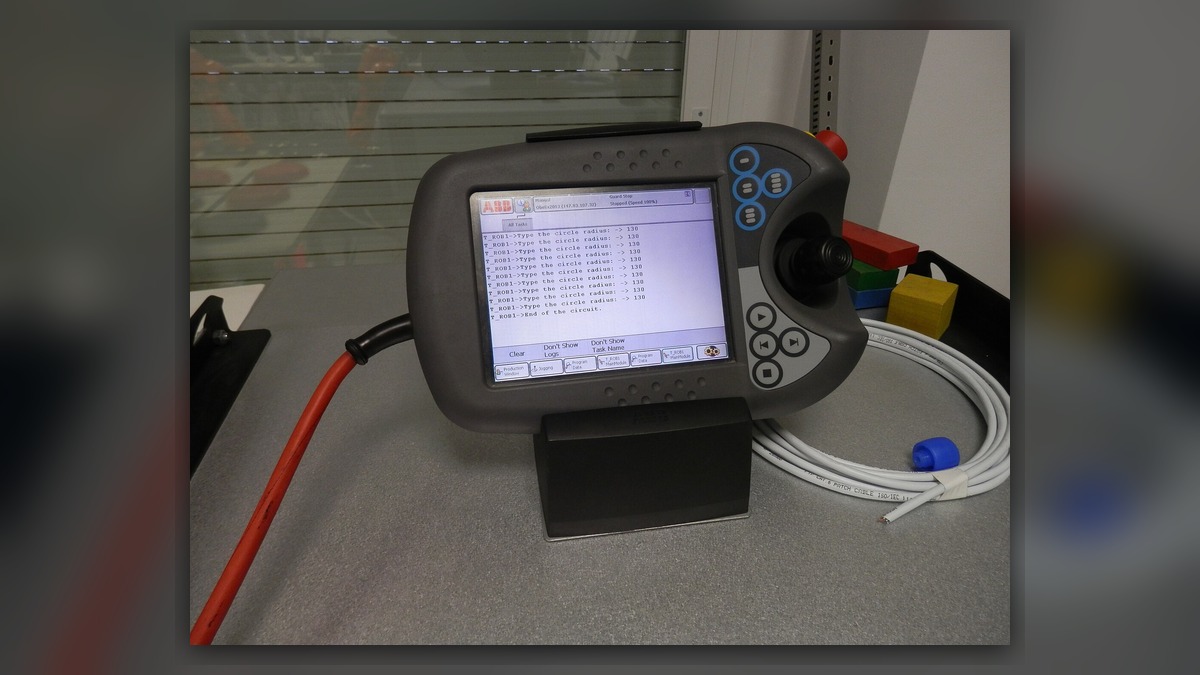
ABB teach pendant repair may be required when a displayed button responds only after the operator touches a different screen position. Potentially involved systems include the touchscreen layer, display assembly, pendant cable, connectors, software interface, and contamination around the screen edge. Before diagnosis, record the pendant and controller identifiers, exact behavior, alarm history, and operating conditions. Incorrect touch position alone does not prove that the touchscreen assembly is damaged; the evidence must distinguish a repeatable coordinate offset from intermittent input, communication loss, or a software-specific display problem.
Symptoms and Scope
This guide addresses ABB teach pendants that display a readable interface but register touch at the wrong location. Typical observations include a consistent offset across the screen, inaccurate response in one region, selections that occur without an intended touch, or a fault that appears only after startup or temperature change.
It does not cover a completely blank display, pendant startup failure, unresponsive hard keys, an emergency-stop reset problem, or an enabling-device fault. Those symptoms require different diagnostic branches. ABB pendant designs and controller generations are not interchangeable, so the installed robot, controller, pendant model, part number, hardware revision, and connector layout must be confirmed before parts are selected.
Information to Record First
Preserve evidence before restarting equipment or disconnecting the pendant. Photograph the complete pendant label and note whether the problem affects every screen or only one application page. If an alarm appears, save its complete text rather than recording a shortened description.
Complete alarm code and full text:
Date and exact time:
Faulted axis:
Robot position/posture:
Program step or motion:
Actual speed and load condition:
Reset result:
Time until recurrence:
Related power, communication or feedback alarms:
For a touch-position problem, also record the selected on-screen control, the actual touch location, whether the offset is consistent, and whether gloves or a screen protector were in use. Do not repeatedly activate controls merely to reproduce the symptom, especially where an unintended selection could command motion or alter operating data.
Safety and Preparation
Place the robot in a safe state under the site lockout, access-control, and maintenance procedures before inspecting cables or connectors. A pendant that selects the wrong command must not be used for normal production or unrestricted jogging. Any powered observation should be performed only by suitably competent personnel under controlled conditions and in accordance with the applicable ABB operating information and site safety procedure.
Do not open the pendant, perform live electrical measurements, or change protected system settings without the correct service information and appropriate competence. Preserve programs, parameters, calibration data, and relevant logs before work that could affect controller data.
ABB Teach Pendant Repair Diagnostic Sequence
- Confirm the exact symptom. Determine whether touch input is consistently displaced in one direction, inaccurate only within a defined screen area, completely absent, or generated without intentional contact. A uniform offset may require a different investigation from an isolated dead region or random input.
- Separate screen-wide and page-specific behavior. Using only safe, non-motion controls, establish whether the same position error appears on multiple interface pages. If it occurs only within one page or application, document the software context and investigate that interface before condemning pendant hardware. If the error follows the same physical screen area across pages, the touchscreen or its surrounding mechanical condition becomes more relevant.
- Inspect the external surface. With the equipment safely isolated, check for cracks, impact marks, lifted screen edges, trapped debris, liquid residue, an unsuitable protector, or pressure from a damaged bezel. Do not apply solvents unless they are approved for the installed pendant. Surface contamination may affect input, but cleaning alone should not be treated as proof of repair until operation is verified.
- Inspect the cable path and accessible connections. Look for crushing, tight bends, cuts, pulled strain reliefs, loose locking features, corrosion, or contamination. Record whether the symptom changes with normal handling, but do not flex a damaged cable to provoke a failure. A visible cable defect supports further cable evaluation; it does not independently identify the internal failed conductor or exclude pendant electronics.
- Review alarm history and event timing. Communication or power-related entries occurring at the same time may indicate that the problem is broader than touch-position detection. Absence of an alarm does not prove that the touchscreen is serviceable. Compare the first occurrence with recent impact, cleaning, cable work, controller service, software changes, or prolonged storage.
How to Distinguish Similar Causes
A stable offset across most of the usable display suggests a coordinate interpretation or touchscreen alignment issue requiring model-specific evaluation. A fixed dead area is more consistent with a localized input-layer or connection problem, although physical inspection and bench testing are still needed. Random selections can be associated with contamination, mechanical pressure, cable intermittency, or an internal electronic fault. A frozen interface, delayed page update, or simultaneous loss of several pendant functions may instead point toward communication, power, or controller interaction.
These observations guide the next test; none confirms a failed touchscreen by itself. Substitution with a known-compatible pendant should be considered only when the exact model, part number, hardware revision, software compatibility, safety functions, and connector arrangement have been verified. An unmatched spare can introduce a second fault or produce misleading results.
When Professional Inspection May Be Considered
Professional inspection is appropriate when the screen is cracked, liquid has entered the enclosure, the cable or connector is damaged, touch errors remain after safe external checks, or the fault is intermittent and cannot be isolated on site. Bench evaluation may assess the display and touch response, internal connections, cable continuity, connector condition, and signs of contamination or impact. Repair or replacement should follow the inspection findings rather than an assumption based only on the visible symptom.
For an ABB robot repair inquiry, provide the robot model, controller model, complete alarm code, alarm history, pendant label, fault conditions, and clear photographs of the display, housing, cable, and connectors. ZHB is an independent industrial robot inspection, repair, and maintenance service provider that also supplies parts to overseas customers. Relevant service information is available at https://autonews.best/abb-robot-repair.
Verification After Repair or Replacement
Confirm that the repaired or correctly matched pendant starts normally and remains connected without new alarms. Under controlled conditions, check touch accuracy at several safe interface locations, hard-key response, display stability, cable retention, and any pendant safety functions specified by the applicable manufacturer procedure. Robot motion testing must be completed only by competent personnel with the work area controlled.
Review the event log after verification and document the installed pendant identification, work performed, test result, and any remaining limitations. Do not return the robot to production if touch selections remain displaced, intermittent, or capable of triggering an unintended command.
Conclusion
Inaccurate touch position requires evidence-based separation of a physical touchscreen defect from contamination, bezel pressure, cable damage, communication behavior, and software-specific display issues. Recording the exact symptom and matching every replacement detail reduces unnecessary part changes. Final acceptance should demonstrate stable, accurate input and correct safety-related pendant operation under the applicable ABB and site procedures.