
How to Troubleshoot Intermittent Robot Network Dropouts? Switch, Network Cable, and Communication Cycle Checks
For intermittent robot network dropouts, check the physical link, switch ports, IP conflicts, communication cycles, network load, and electromagnetic interference, rather than just replacing the communication board.
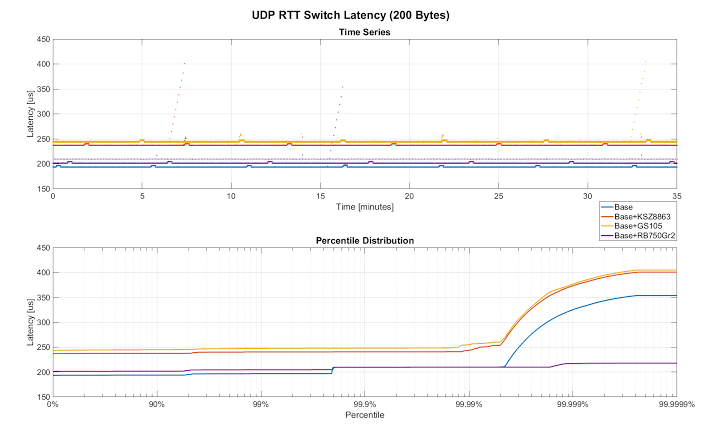
Network failures between robots and PLCs, vision systems, or host systems that only occur under high load or when specific equipment starts usually require checking both network configuration and on-site wiring environment.
- Key Checks
- Check the dropout times and port status in the logs of the robot, PLC, and switch.
- Inspect network cables, connectors, shielding, bends, cable carrier moving sections, and switch port error counters.
- Verify IP addresses, subnet, device names, communication cycles, and connection counts.
- Record whether faults coincide with the operation of welders, inverters, or high-power equipment.
- Troubleshooting Steps
- First, replace with verified network cables and switch ports to narrow down the physical link scope.
- Resolve IP conflicts and duplicate device names, ensuring network topology matches the address list.
- Optimize communication cycles and unnecessary broadcasts to avoid overloading the switch or controller.
- Perform continuous monitoring under actual production conditions and during periods of strongest interference.
- Common Misconceptions
- Assuming communication is definitely normal just because the network can be pinged.
- Directly replacing the robot communication board without checking switch error counters.
- Connecting robot, office, and camera networks to the same network without planning.
- Summary
For intermittent robot network dropouts, check the physical link, switch ports, IP conflicts, communication cycles, network load, and electromagnetic interference, rather than just replacing the communication board.
Industrial Robot Repair Hotline: +86 18122009539
Contact Repair Engineer: +86 18122009539