
What problems can arise from incorrect robot load data settings? Weight, center of gravity, and inertia checks
The weight, center of gravity, and inertia in robot load data affect servo control, trajectory accuracy, and collision detection. Incorrect settings may cause vibration, overload, or false collision alarms.
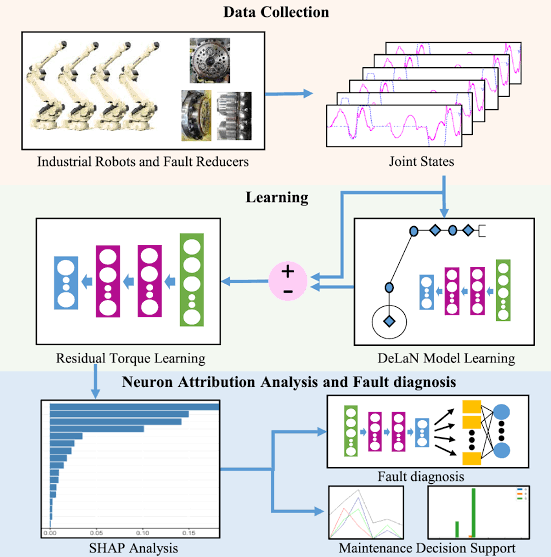
The robot controller calculates the required torque for each axis based on the tool and workpiece load. Only entering the tool weight while neglecting the center of gravity and inertia may lead to significant abnormalities during high-speed turns or when the arm is fully extended.
- Key Checks
- Verify the total weight of the end-of-arm tool, gripper, workpiece, and any attached cables or hoses.
- Measure the position of the load's center of gravity relative to the flange coordinate system. Do not use the geometric center of the shape as a substitute.
- For high-speed rotation or long-arm tools, pay attention to the moment of inertia around each axis.
- Check whether the corresponding load data is called for different production conditions, such as gripping and unloaded states.
- Handling Steps
- Collect tool drawings or weighing data to establish two sets of load data: one for the empty gripper and one for the gripper with a workpiece.
- When using the controller's load identification function, ensure the mechanical state and test posture meet the requirements.
- After making modifications, run the robot at low speed first, then gradually restore normal speed and acceleration.
- Observe motor torque, following error, collision detection, and brake holding status.
- Common Misconceptions
- Only entering the weight without setting the center of gravity and inertia.
- Continuing to use full-load parameters after the workpiece is released, affecting collision sensitivity.
- Masking incorrect load settings by lowering collision sensitivity.
- Summary
The weight, center of gravity, and inertia in robot load data affect servo control, trajectory accuracy, and collision detection. Incorrect settings may cause vibration, overload, or false collision alarms.
Industrial Robot Repair Hotline: +86 18122009539
Contact Repair Engineer: +86 18122009539