
ABB Robot Repair for Intermittent Motor-On Dropout
Diagnose intermittent ABB motor-on dropout by reviewing alarms, safety conditions, cabinet connections, power events, and operating patterns.
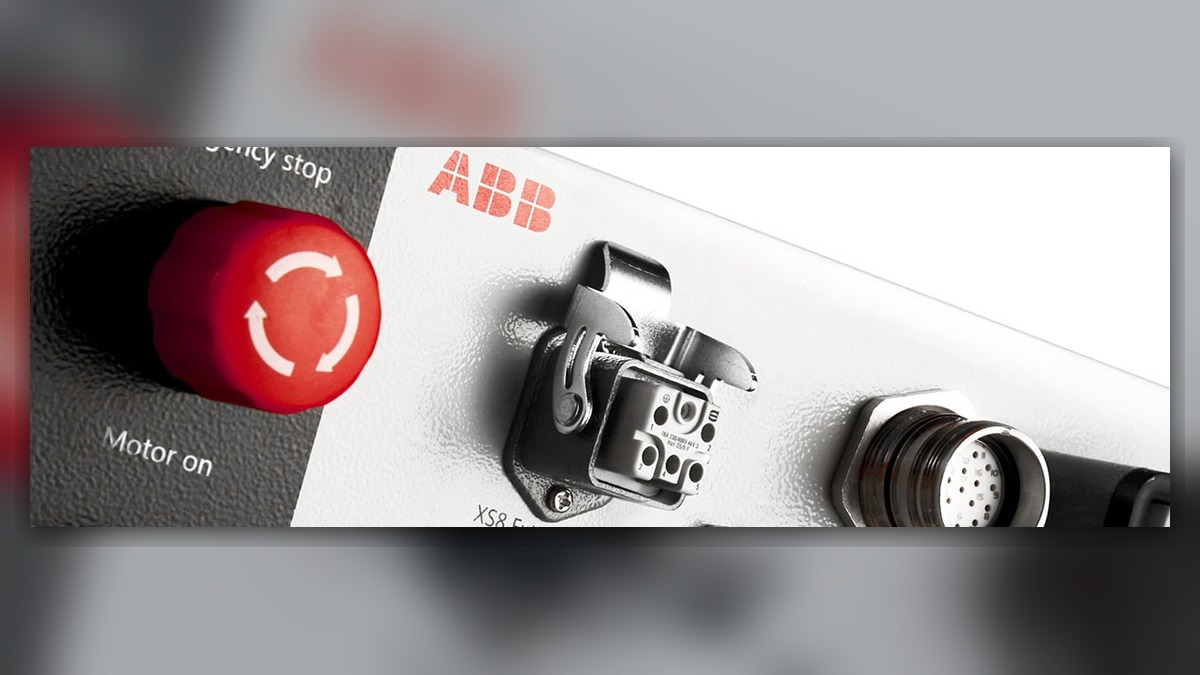
Intermittent motor-on dropout requires an ABB robot repair process that separates external safety interruptions, incoming power events, controller connections, drive conditions, and axis-related faults. Before resetting the system, record the complete alarm text, affected axis, operating mode, robot posture, program step, and event time. A motor-on loss does not independently prove that a drive module, motor, controller board, or teach pendant is damaged. The alarm history and conditions immediately preceding the stop determine which diagnostic branch is appropriate.
Symptoms and Scope
This guide applies to ABB robot systems that enable motor power normally but lose the motor-on state intermittently during production, setup, or stationary waiting. It is intended primarily for IRC5-based installations, although the evidence-gathering method is also relevant to other ABB controller generations. Exact indicators, menus, circuit arrangements, and component names depend on the installed controller, options, safety architecture, and system documentation.
The scope does not include a controller that cannot boot, a confirmed brake-release fault, lost calibration, or an axis that remains permanently disabled under a separately identified alarm. Those conditions require their own diagnostic procedures.
Information to Record First
Do not repeatedly reset the robot merely to reproduce the event. Preserve the controller event log and collect production information before alarms are cleared or power is cycled.
Complete alarm code and full text:
Date and exact time:
Faulted axis:
Robot position/posture:
Program step or motion:
Actual speed and load condition:
Reset result:
Time until recurrence:
Related power, communication or feedback alarms:
Also record the robot model, controller model, system identifier, installed software information, operating mode, connected external axes, and any recent cabinet, tooling, cable, safety-system, or facility-power work. If several alarms share the same timestamp, their order can be more useful than the final message displayed.
Safety and Preparation
Follow the applicable ABB operating information, site lockout procedures, and risk assessment. Cabinet access and electrical inspection must be performed only by suitably qualified personnel. Stored energy, live circuits, unexpected movement, suspended loads, and gravity-loaded axes can remain hazardous after a stop.
Do not bypass emergency-stop devices, gates, enabling devices, interlocks, or protective circuits to keep the robot running. Observation under motion may be performed only by competent personnel under controlled conditions and in accordance with the manufacturer’s operating information and site safety procedure.
ABB Robot Repair Diagnostic Sequence
- Establish what removed the motor-on state. Review the complete event history around the recorded time rather than relying on the last visible alarm. Determine whether the sequence begins with a safety event, power-related message, communication interruption, drive alarm, or axis-specific feedback condition. If an earlier alarm exists, investigate that event first.
- Compare the occurrence with operating conditions. Check whether dropout happens during a particular program step, posture, acceleration period, tool action, gate operation, or external-axis movement. A repeatable posture relationship may justify inspection of moving cable routes and connectors, but it does not by itself identify a failed cable. A random event affecting several machines may justify reviewing shared power or external safety equipment.
- Inspect external conditions without disturbing evidence. Look for loose or damaged external cables, contaminated connectors, cabinet impact, blocked ventilation, abnormal odor, moisture, and signs of unauthorized modification. Confirm whether maintenance personnel recently moved connectors, replaced equipment, or worked on the production-cell safety system.
- Review facility and cell events. Compare the alarm timestamp with documented power interruptions, safety-device activations, PLC events, network events, and upstream equipment stops. Determine whether the robot initiated the stop or reacted to another system. Missing timestamps or unsynchronized clocks should be documented because they limit correlation.
- Examine controller connections only under safe isolation. Qualified personnel may inspect accessible connections against the correct ABB documentation for the installed controller and options. The target is evidence such as incomplete seating, damaged locking features, contamination, heat discoloration, or unsupported cable strain. Connector designations must be taken from the machine-specific documentation rather than assumed from another cabinet.
- Follow the alarm-supported branch. A drive-related alarm may justify controller or drive-module inspection. An axis-specific feedback alarm may direct attention toward the motor cable, feedback-related component, or associated connections. A safety-chain event requires evaluation of the relevant protective circuit and connected equipment. Do not expand the repair scope to motors or mechanical joints unless the recorded evidence supports that branch.
How to Distinguish Similar Causes
An external safety interruption may coincide with gate, emergency-stop, enabling-device, or cell-controller events. A power event may affect the controller or other equipment at the same time. A connection problem may correlate with cabinet work, vibration, temperature, or robot posture. A drive or axis condition is more likely to include a relevant controller message identifying the affected unit or axis.
These patterns guide inspection but are not final diagnoses. A successful reset does not prove that the condition has been repaired, while repeated dropout does not automatically condemn the drive module. ABB IRC5 controller inspection may be considered when the event history and preliminary checks point toward the cabinet: https://autonews.best/products/abb-irc5-kong-zhi-gui-yu-ji-xiu
When Repair or Replacement May Be Considered
Professional testing is appropriate when visual inspection and log analysis cannot isolate the problem, when the event recurs, or when a controller, drive, motor, cable, or feedback-related component is suspected. Before substituting a part, match the exact ABB model, part number, hardware revision, connector layout, installed options, and software compatibility requirements. A visually similar component should not be treated as interchangeable without verification.
ZHB is an independent industrial robot inspection, repair, and maintenance service provider that also supplies parts to overseas customers. For a repair inquiry, provide the robot model, controller model, complete alarm code and text, alarm history, suspected component label, fault conditions, and clear photographs of the cabinet, connectors, and component label. Relevant ABB robot repair service information is available at https://autonews.best/abb-robot-repair
Verification After Repair or Replacement
After corrective work, confirm that all covers, grounds, connectors, safety devices, and cable restraints have been restored correctly. Review the event log, verify that the controller reaches the expected operating state, and test the affected production sequence under controlled conditions. Begin at a reduced-risk operating condition permitted by the site procedure before returning to normal production.
Verification should include the original operating mode, relevant posture range, connected tooling, external axes, and normal load condition where safely achievable. Do not deliberately recreate an unsafe event. Record the work completed, parts installed, software or data changes, test conditions, and whether any related alarms returned.
Common Diagnostic Mistakes
Common errors include replacing a drive based only on motor-on loss, clearing the event log before recording the alarm sequence, overlooking an external safety or PLC event, and using documentation for a different controller configuration. Other mistakes include disturbing multiple connectors at once, installing an unmatched spare, and treating one successful restart as proof of repair.
Conclusion
Intermittent ABB motor-on dropout should be diagnosed from the complete event sequence and operating context. Start with alarm preservation, system identification, external power and safety correlation, and nonintrusive inspection. Proceed to controller, drive, cable, motor, or feedback-related testing only when the recorded evidence supports that direction. This evidence-based process reduces unnecessary part replacement and provides a defensible basis for repair, replacement, and restart verification.