
ABB Robot Repair for Intermittent Teach Pendant Input
Diagnose intermittent ABB teach pendant keys, touch input, display response, and communication without assuming the pendant itself has failed.
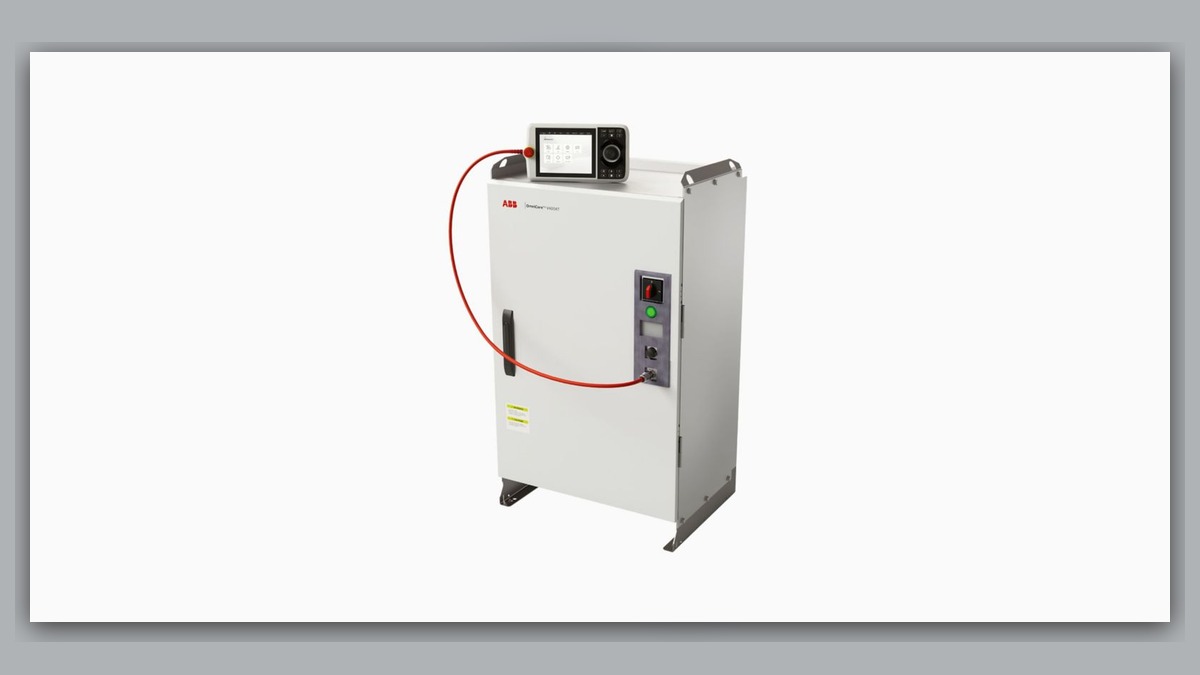
Intermittent teach pendant input requires ABB robot repair diagnostics that separate pendant hardware problems from cable, connector, controller, power, and operating-mode conditions. Before troubleshooting, record the robot and controller models, pendant identification, complete alarm text, affected input function, operating mode, and conditions at the time of failure. A frozen display, delayed touch response, or unresponsive key does not independently prove that the pendant is damaged; the same symptom may involve its connection, power supply, controller interface, or application state.
Symptoms and Scope
This guide applies to ABB robot systems in which a connected teach pendant operates intermittently, displays information but does not consistently accept input, temporarily loses communication, or has only certain controls that appear unresponsive. It is intended as a diagnostic framework rather than a model-specific disassembly procedure.
The guide does not establish compatibility between pendant generations, controller families, or hardware revisions. It also does not cover a pendant that is completely unable to start, because total startup failure has a different diagnostic intent. Safety-device faults must be handled according to the applicable ABB documentation, installed safety configuration, and site procedures.
Information to Record First
Preserve the evidence before resetting or disconnecting equipment. Alarm history and operating context often provide more useful direction than the visible symptom alone.
Complete alarm code and full text:
Date and exact time:
Faulted axis:
Robot position/posture:
Program step or motion:
Actual speed and load condition:
Reset result:
Time until recurrence:
Related power, communication or feedback alarms:
Also record whether the display remained active, whether all input functions or only one area stopped responding, and whether the problem appeared after cabinet work, cable movement, cleaning, impact, or equipment relocation. Identify the robot model, controller model, pendant model, part number, hardware revision, and connector layout from their labels.
Safety and Preparation
Place the robot in a safe state before inspecting cables or connectors. Follow the site lockout procedure and the manufacturer’s operating and maintenance information. Do not open the pendant, disconnect controller hardware, bypass an interlock, or handle internal energized parts unless the work is explicitly assigned to qualified personnel under an approved procedure.
Do not repeatedly move or twist a suspected cable merely to reproduce an intermittent interruption. That action can worsen conductor or connector damage. Observation during controlled motion, when genuinely necessary, should be performed only by suitably competent personnel within the applicable safety controls.
ABB Robot Repair Diagnostic Sequence
- Confirm the exact symptom. Determine whether the issue affects the display, touch input, membrane keys, enabling device, emergency-stop function, communication, or the entire pendant. These functions must not be treated as interchangeable. If a safety-related control is involved, stop normal operation and use the relevant safety troubleshooting procedure.
- Review alarms and event history. Compare the exact time of the input failure with controller, communication, power, and system events. An earlier event may identify the diagnostic branch. If no event was stored, document that absence rather than assigning a cause from the symptom.
- Inspect external condition. With the equipment safely isolated as required, check the pendant housing, display surface, cable jacket, strain-relief areas, and accessible connector for impact, contamination, liquid exposure, deformation, loose retention, or visible damage. A damaged cable jacket supports further cable inspection but does not reveal the condition of every internal conductor.
- Check the connection history. Establish whether the symptom began after maintenance, pendant replacement, controller work, or relocation. Verify that installed parts match the system configuration. Never connect a visually similar spare until its exact part number, hardware revision, connector layout, and controller compatibility have been confirmed.
- Separate local input failure from system-wide loss. If the display updates normally while one input area remains consistently unresponsive, professional pendant inspection may be appropriate. If the entire interface disconnects or restarts, investigate the cable, connectors, supplied power, and controller-side interface before concluding that the pendant electronics have failed. Any electrical measurement must follow model-specific service information and be performed by qualified personnel.
- Evaluate recurrence patterns without forcing the fault. Compare failures against normal cable routing, cabinet temperature, operating mode, and recent service activity. A posture-related pattern can justify inspecting cable routing and strain points, but it does not prove which component is defective. If reliable evidence cannot be collected safely, remove the suspected assembly for controlled professional testing.
When Repair or Replacement May Be Considered
ABB teach pendant repair may be considered when inspection or controlled testing localizes the problem to the pendant assembly and the unit can be serviced safely. Cable repair, connector service, controller inspection, or replacement may instead be appropriate when evidence identifies those areas. Replacement should never be based only on a frozen screen or missed touch input.
For broader ABB inspection options, see the ABB robot repair service at https://autonews.best/abb-robot-repair. When evidence points toward an IRC5 cabinet interface or controller condition rather than the pendant alone, the relevant inspection scope is described at https://autonews.best/products/abb-irc5-kong-zhi-gui-yu-ji-xiu.
Verification After Repair or Replacement
Before restart, confirm correct assembly, connector retention, cable routing, protective covers, and restoration of all safety functions under the approved site procedure. Verify normal pendant startup, display updates, permitted input functions, operating-mode indication, and controller communication. Check the alarm history for recurring events.
Any functional observation involving robot motion must be controlled by competent personnel and follow ABB operating information and site safety requirements. Do not create hazardous motion or repeatedly provoke an intermittent failure as an acceptance test. Record the repaired or replaced part number, revision, work performed, verification conditions, and final result.
Common Diagnostic Mistakes
Common errors include replacing the pendant before reviewing alarms, treating every unresponsive control as a touchscreen defect, overlooking recent connector work, and installing a spare based only on physical appearance. Resetting the system repeatedly can also erase valuable context without correcting the underlying condition. Safety controls must never be bypassed to determine whether another pendant function works.
Information Required for a Repair Inquiry
For one efficient repair inquiry, provide the robot model, controller model, complete alarm code and text, alarm history, pendant label and part number, fault conditions, and clear photographs of the pendant, cable, connectors, and controller identification. ZHB is an independent industrial robot inspection, repair, and maintenance service provider that also supplies parts to overseas customers; manufacturer authorization is not implied.
Conclusion
Intermittent ABB pendant input should be diagnosed as a system symptom, not immediate proof of pendant failure. Preserve the event record, define which function is affected, inspect external connections and damage, verify configuration compatibility, and use controlled testing to distinguish the pendant from its cable or controller interface. Repair or replacement should follow evidence and conclude with documented safety and functional verification.