
ABB Teach Pendant Repair for a Dim or Blank Display
Diagnose an ABB teach pendant with a dim or blank display by separating display faults from power, cable, controller, and startup problems.
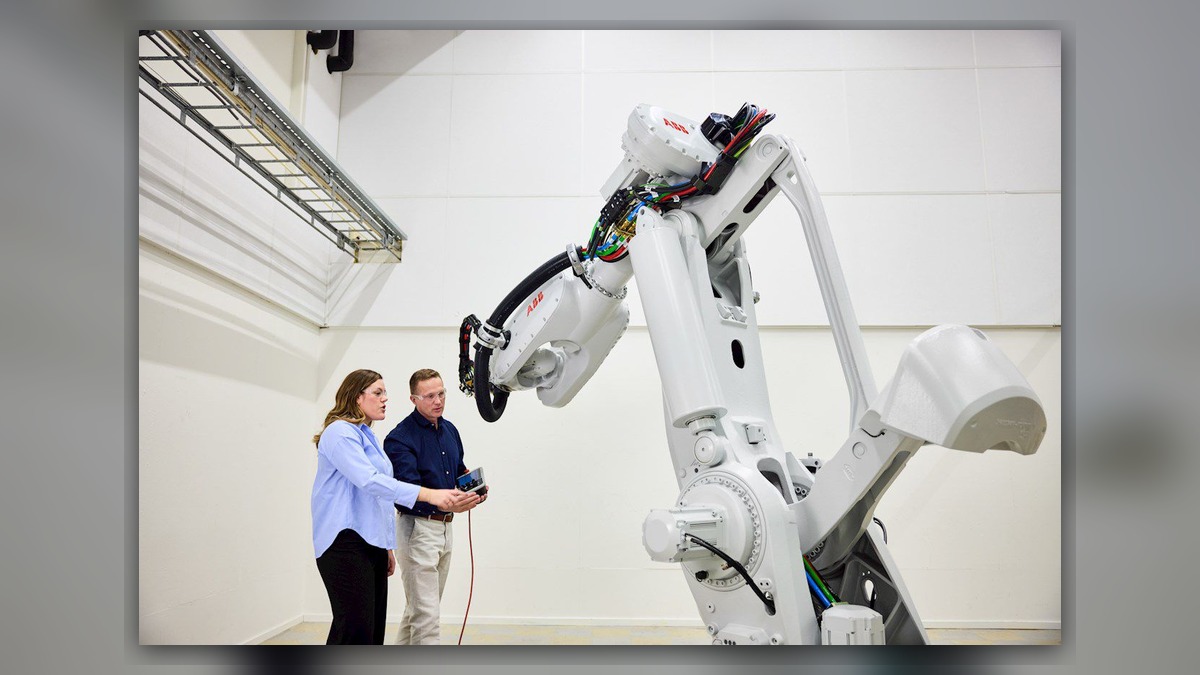
An ABB teach pendant repair assessment for a dim or blank display should distinguish a display-path problem from loss of pendant power, cable damage, connector faults, or an incomplete controller startup. Before disconnecting equipment, record the robot and controller models, pendant identification, alarm history, and the exact behavior of the display and controls. A dark screen alone does not prove that the display assembly is damaged; the symptom can originate elsewhere in the pendant-to-controller system.
Symptoms and Applicable Scope
This guide applies to ABB robot systems in which the teach pendant display is unusually dim, intermittently visible, completely blank, or visible only under particular lighting conditions. The exact pendant design, interfaces, and startup behavior vary by controller generation and installed configuration. Use the operating and maintenance information supplied for the specific ABB controller and pendant.
Observe whether the pendant shows any signs of operation. Relevant evidence can include illuminated indicators, audible responses, a working emergency-stop circuit, controller recognition of the pendant, or changes when the system completes startup. These observations help define the affected function, but none independently confirms that the display, cable, connector, or controller is serviceable.
Information to Record First
Complete alarm code and full text: Record every related message available from the controller or system log.
Date and exact time: Record when the blank or dim display was first observed.
Faulted axis: State whether an axis fault accompanied the display problem, or record that no axis was identified.
Robot position/posture: Record the stopped position without moving the robot solely to reproduce the symptom.
Program step or motion: Record whether the problem appeared during startup, programming, jogging, or automatic production.
Actual speed and load condition: Record the displayed or configured condition if it is already available.
Reset result: State whether an approved reset changed the symptom.
Time until recurrence: Record whether the display remains blank or returns intermittently.
Related power, communication or feedback alarms: Preserve the full text and sequence of any associated alarms.
Also photograph the pendant label, cable condition, connectors, and controller identification plate. Record whether the display is uniformly dark, faintly readable, discolored, flickering, or partially illuminated. These distinctions can direct inspection toward the display path without prematurely condemning a component.
Safety and Preparation
Follow the applicable ABB instructions and the factory lockout, energy-isolation, and access procedures before inspecting cables or connectors. A pendant emergency-stop device is part of the robot safety system and must not be bypassed for diagnosis. Do not open the pendant or controller while energized unless an applicable manufacturer procedure explicitly requires testing and the work is performed by qualified personnel with suitable equipment.
Do not repeatedly flex a suspect cable or cycle power simply to provoke the fault. Reproduction attempts can increase damage, erase useful evidence, or create additional production risk. Preserve backups and diagnostic records before sending a pendant or controller component for repair.
ABB Teach Pendant Repair Diagnostic Sequence
- Define the display condition. Record what appears immediately after the controller is started and whether the screen changes as startup progresses. A completely inactive pendant requires investigation of the power and connection path. A faint image or intermittent illumination may narrow attention toward the display assembly or an internal connection, but professional inspection is still required to confirm the defective part.
- Confirm equipment identity. Match the robot model, controller model, pendant model, part number, hardware revision, and connector layout. Similar-looking ABB pendants must not be assumed to be interchangeable. If any identifier is unreadable, provide clear label photographs before selecting a test unit or replacement.
- Review alarms and event history. Determine whether the controller reports a pendant communication, startup, safety, or power-related condition. Record which event occurred first. An earlier controller or connection fault may explain why the display never reached normal operation, while a pendant that is recognized by the controller may require a more focused display assessment.
- Inspect the external connection path under safe isolation. Look for crushed cable sections, sharp bends, cuts, contamination, loose connector hardware, bent contact areas, or damage near strain-relief points. Do not infer internal conductor continuity from a normal external appearance. If damage is found, document its location and verify the exact cable identification before considering repair or replacement.
- Check the controller context. Confirm whether the controller completes its normal startup and whether other operator interfaces or diagnostic records remain available. A controller that is not fully operational changes the diagnostic path because the pendant may not be receiving the expected power or communication conditions. For controller-specific assessment, see the ABB IRC5 controller inspection and repair service at https://autonews.best/products/abb-irc5-kong-zhi-gui-yu-ji-xiu.
- Isolate the pendant only with compatible equipment and an approved procedure. A known-compatible pendant or cable can help distinguish the assemblies, but compatibility must be established from exact identifiers and the installed controller configuration. Never connect a visually similar spare without confirming its model, part number, hardware revision, connector layout, and system requirements.
How to Distinguish Similar Causes
A blank display with no other observable pendant activity can be consistent with missing power, a disconnected path, cable damage, an internal pendant fault, or a controller-side issue. A faint but structured image may indicate that image generation and illumination are affected differently, although this observation does not identify the failed part. Flickering associated with ordinary handling can suggest an intermittent connection, but moving the cable to reproduce the event is not recommended.
A screen that becomes blank only after startup should be correlated with the event log and operating stage. A visible image with failed touch response is a different fault category and should not be diagnosed as a blank-display problem. Likewise, unexplained robot motion, safety faults, or axis alarms require their own controlled investigation rather than being attributed to the display.
When Repair or Replacement May Be Considered
Professional bench inspection may be appropriate when external connections and controller operation have been evaluated but the display remains dim or blank. Testing should establish whether the fault is associated with the display path, internal power conversion, internal connections, cable assembly, or another pendant circuit. Replacement should be considered only after compatibility and the repair economics have been reviewed.
In the latter half of the diagnostic process, ZHB can serve as an independent industrial robot inspection, repair, and maintenance service provider that also supplies parts to overseas customers. Broader ABB robot repair capabilities are described at https://autonews.best/abb-robot-repair. This does not imply ABB authorization.
Verification After Repair or Replacement
After reinstallation, verify normal controller startup, stable display brightness, touch and key operation where applicable, pendant communication, and safety-device status according to the manufacturer information and site procedure. Confirm that no new alarms appear and that repaired cable areas remain properly supported. Any motion-related verification must be conducted by suitably competent personnel under controlled conditions, with the work area secured and the applicable operating and safety procedures followed.
Information Required for a Repair Inquiry
Provide the robot model, controller model, complete alarm code and alarm history, pendant model and component label, exact fault conditions, and clear photographs of the pendant, screen, cable, connectors, and labels. State whether the display is dim, blank, flickering, or partially visible, when the problem occurs, and whether the controller recognizes the pendant. This evidence helps determine whether pendant testing, cable inspection, controller diagnosis, or compatibility review should come first.
Conclusion
A dim or blank ABB teach pendant display should be diagnosed as a system-level symptom before any display assembly is replaced. Equipment identification, event history, visible screen behavior, cable condition, controller startup status, and configuration-compatible isolation provide the evidence needed for a defensible repair decision.