
KUKA Robot Repair: Diagnose a Rejected Program Start
Diagnose a KUKA robot that rejects a program-start command by checking the selected program, controller state, cell permissives, and start-command path.
In this article
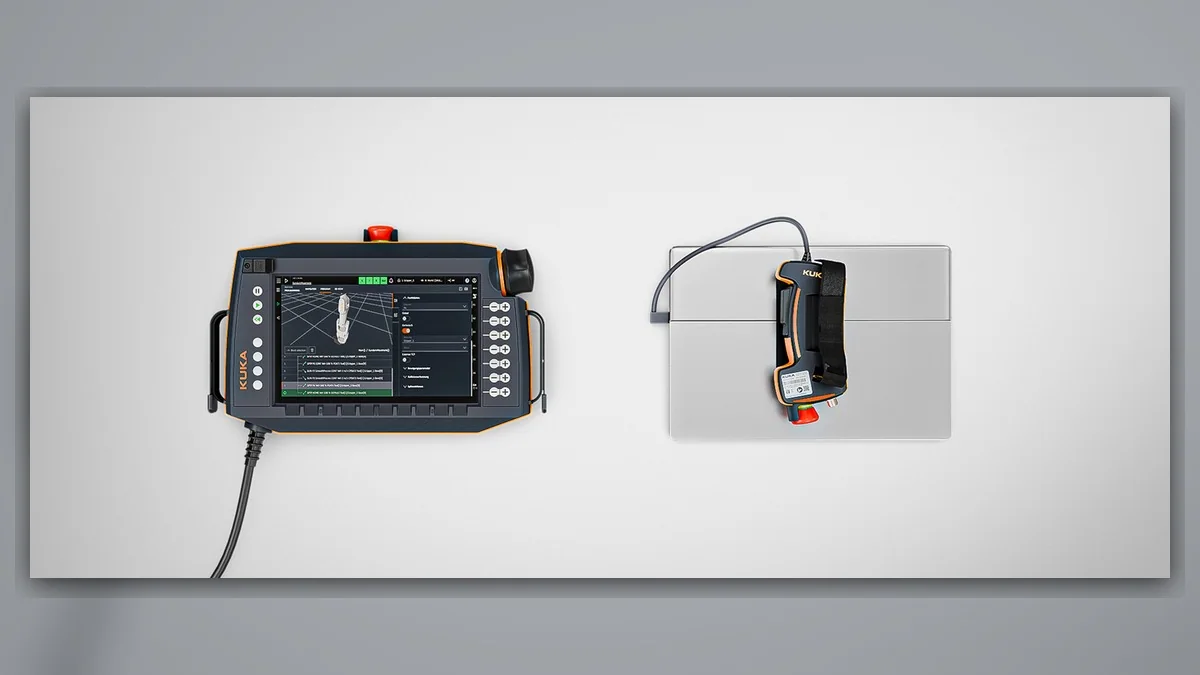
For KUKA robot repair involving a rejected program-start command, first identify whether the request came from the teach pendant or an external cell controller. Record the selected program, controller model, operating mode, displayed status, and complete alarm history. A start failure may involve program selection, execution state, a cell permissive, a safety-related inhibit, or the command path. The symptom alone does not establish that the controller, robot, drive, or motor is damaged. Follow the documentation for the installed system and its site procedures; screens and behavior vary by model and configuration.
Symptoms and Scope
This guide applies when a KUKA robot receives an attempted program start but the request is rejected or no cycle begins. It is not an alarm-specific procedure and does not cover an axis fault after a program has started, a stop during motion, or diagnosis of a particular drive or motor. Confirm the robot and controller models before following model-specific instructions. A robot that remains stationary does not, by itself, identify which part of the cell is responsible.
Information to Record First
Capture the state before resetting or clearing alarms. Record the command source and what the controller displayed when the start was attempted. Do not repeatedly issue commands if the cause is unclear or the action could increase risk.
Complete alarm code and full text: Record the exact displayed message, if present.
Date and exact time: Include the time of the rejected start.
Faulted axis: Record the axis if identified; otherwise note that none is identified.
Robot position or posture: Record the observed position when relevant.
Program step or motion: Record the selected program and step or motion state.
Actual speed and load condition: State whether motion occurred; record displayed conditions only when relevant.
Reset result: Record what changed after an authorized reset, if one was performed.
Time until recurrence: Record whether and when the symptom returned.
Related power, communication, or feedback alarms: Include associated messages from the robot and cell controller.
KUKA Robot Repair: Diagnostic Sequence
1. Identify the start path. Establish whether the request was made from the teach pendant or sent by a PLC or other cell controller. Confirm the intended program and compare the observed response with the cellâÂÂs documented start sequence. If the request is external, use approved controller diagnostics and the cell drawings to determine whether the request reached the robot system. If it did not, trace the command path upstream; do not assume a robot-side component has failed.
- Review controller state and alarm history. Check the displayed operating mode, execution state, active messages, and event history around the recorded time. Determine whether an earlier alarm or a displayed condition explains why the request was not accepted. Preserve the full text and sequence of events before clearing messages. If an alarm is present, use the instructions for the exact controller and software version rather than applying a generic reset sequence.
- Verify program selection and execution state. Compare the selected program with the intended production task and check the displayed program state against the approved operating procedure. Determine whether the controller indicates an active task, a completed task, or a condition that requires an operator action. Do not edit, cancel, or restart a program simply to test a theory; first establish the expected recovery method from the program documentation and site procedure.
- Check cell permissives and safety status. Review the relevant cell interface and safety indications using the approved diagnostic screens, system drawings, and site procedures. If a permissive or safety condition is not satisfied, identify and correct its cause through authorized personnel. Never bypass a gate, interlock, enabling device, or safety circuit to make a start command work. Escalate an unclear safety status to the responsible integrator or qualified safety personnel.
- Separate a missing command from a rejected command. For an external start, compare the documented request path with the status available through supported diagnostics. If the request is absent at the robot interface, investigate the upstream control or communication path using the approved design information. If the request is present but rejected, focus next on controller state, program selection, and reported permissives. Signal names and interface behavior depend on the installed configuration; do not assume a standard signal assignment.
How to Distinguish Similar Causes
A program that never begins differs from one that begins and then stops. If the controller registers the start and displays a subsequent alarm, record that message and diagnose the newly identified fault using the matching documentation. If the program begins but the robot does not move, determine the controllerâÂÂs reported state before treating the symptom as a servo or motor problem. A communication alarm, a safety indication, or a program-state message may guide the next branch, but none should be interpreted without its full context.
When Repair or Replacement May Be Considered
Consider component inspection only after evidence narrows the fault to a device or connection in the command path. Visual inspection of accessible, external cables and connectors should follow site isolation rules and be performed by qualified personnel. Do not open energized equipment or perform undocumented electrical tests. If a part is found to require repair or replacement, match its exact model, part number, hardware revision, and connector layout to the installed system. A rejected program start alone is not evidence that a servo motor or drive needs replacement.
Verification After Repair
After an approved repair or configuration correction, confirm that the original command source is recognized, the intended program is selected, and the controller reports the expected state without an unexplained alarm. Any motion check must be performed by suitably competent personnel in a controlled condition, according to the applicable manufacturer information and site safety procedure. Do not repeatedly recreate a risky fault just to verify the repair; use an approved verification plan and record the result.
ZHB is an independent industrial robot inspection, repair, and maintenance service provider that also supplies parts to overseas customers. Its industrial robot repair service is described at https://autonews.best/services.
For a repair inquiry, provide the robot model, controller model, complete alarm code and text if displayed, alarm history, component label if relevant, fault conditions, and clear photographs. Also include the selected program, start-command source, the controllerâÂÂs response, and the recorded event time so the initial assessment can focus on the correct part of the command path.
Need a part or repair assessment?
Share the robot model, part number, fault details and destination country with our team.
Contact our team ↗