
ABB Robot Maintenance After Extended Inactivity
A structured ABB robot maintenance process for inspecting power, cables, batteries, mechanics and safety functions before restarting an idle system.
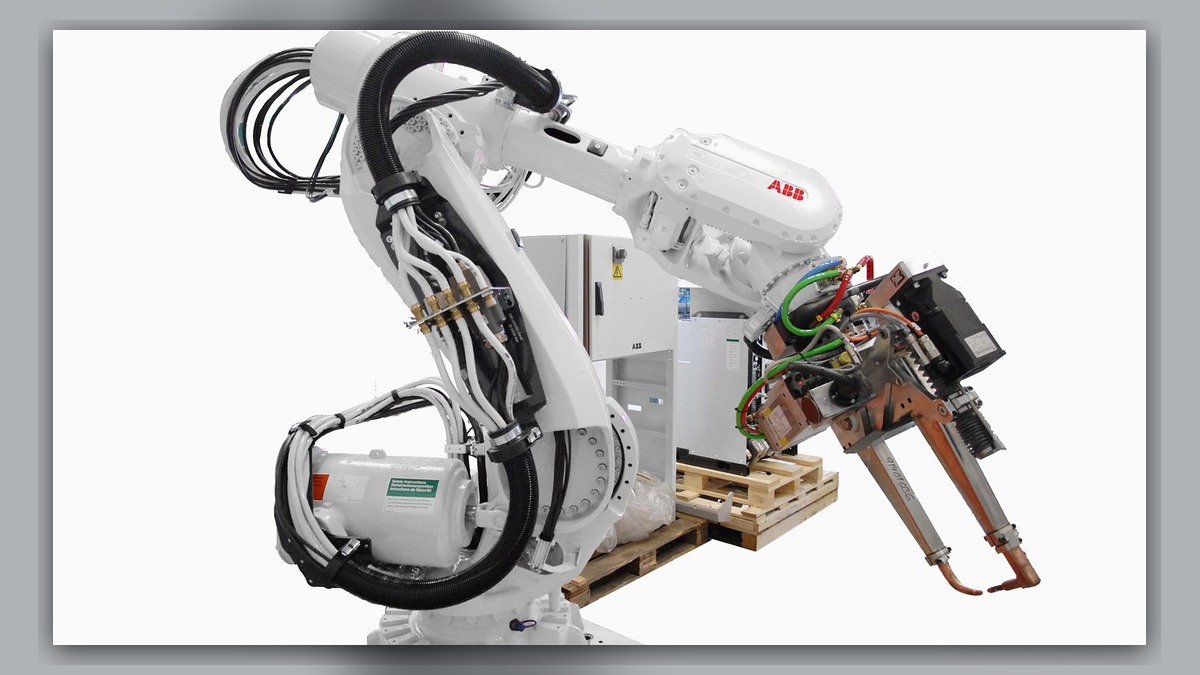
ABB robot maintenance after extended inactivity should begin with records, visual inspection and controlled functional checks rather than an immediate production restart. Potential concerns include cabinet contamination, degraded cooling, loose or damaged connections, battery condition, lubrication state, corrosion and mechanical obstruction. Record the robot and controller identities, shutdown duration, storage environment, alarm history and any work completed while the system was idle. A failed restart or new alarm does not independently prove that the controller, motor or another component is damaged.
Scope and Diagnostic Intent
This guide applies to ABB robots using an OmniCore controller that have remained de-energized or unused for an extended period. It addresses the inspection and restart decision, not a particular alarm code or an internal controller repair procedure. IRC5 systems may require different documentation, hardware checks and restart instructions.
The required maintenance depends on how the equipment was stored. An idle robot in a controlled production area presents different risks from a disconnected unit exposed to construction dust, humidity, coolant mist or accidental impact. Always identify the installed controller and robot variant before selecting maintenance documentation.
Information to Record First
Establish the condition of the system before energizing it. Maintenance personnel should review previous service reports, unresolved alarms, production changes and the reason for shutdown. Determine whether tooling, external axes, field wiring, safety devices or cabinet components were modified during the inactive period.
Complete alarm code and full text: Record every active message without abbreviating it.
Date and exact time: Record when the fault or restart attempt occurred.
Faulted axis: Identify the axis if the controller reports one.
Robot position/posture: Document the current physical position before movement.
Program step or motion: Identify the commanded operation if motion had started.
Actual speed and load condition: Record the displayed or documented condition.
Reset result: State whether the message cleared and whether it returned.
Time until recurrence: Record the interval if the condition is intermittent.
Related power, communication or feedback alarms: Preserve their sequence from the event log.
Safety and Preparation
Follow the applicable ABB operating and maintenance information, site lockout procedure and risk assessment. Confirm that the safeguarded space is clear and that disconnected utilities, tooling or external equipment cannot create an unexpected hazard. Do not energize equipment with visible liquid contamination, damaged insulation, unsecured conductors or unidentified modifications.
Robot axes can move because of gravity or stored mechanical energy when brakes or transmissions are being assessed. Internal cabinet inspection and any observation under motion should be performed only by suitably competent personnel under controlled conditions. Do not repeatedly reset or cycle the system merely to reproduce a fault.
ABB Robot Maintenance Inspection Sequence
- Confirm equipment identity. Record the robot model, controller model, serial information, installed options and relevant component labels. This information determines which manufacturer instructions apply. Do not assume that procedures or spare parts for an IRC5 controller apply to an OmniCore controller.
- Inspect the installation. Check the robot base, mounting hardware, dress cables, tooling, protective covers and accessible connectors for displacement, impact, corrosion, contamination or pest damage. Confirm that nothing obstructs the expected robot path. Visible damage requires assessment before motion is enabled.
- Inspect the controller environment. Look for blocked ventilation paths, accumulated dust, degraded filters, moisture evidence and loose external cables. Confirm that cabinet panels and covers are correctly installed. Contamination near electrical assemblies should be evaluated before power is applied rather than removed with uncontrolled compressed air or unsuitable solvents.
- Review battery and backup status. Determine the shutdown duration and review maintenance records for battery age, previous warnings and replacement history. Follow the procedure for the exact installed system. Do not disconnect or replace a battery without understanding how the controller preserves calibration and system data.
- Check mechanical condition. Examine accessible joints for leakage, corrosion or physical damage. Review the maintenance record to determine whether lubrication service was already due before shutdown. Oil or grease residue alone does not establish the source or severity of a leak; clean identification and further inspection may be required.
- Restore power methodically. Verify that utilities and external interfaces are in the intended state before energizing the controller. Record startup messages in their original order. An initial communication, safety or power alarm may explain later symptoms, so troubleshooting should begin with the earliest relevant event rather than the last message displayed.
- Conduct a controlled functional check. After startup is normal and safety conditions are satisfied, competent personnel may verify brake release, low-speed axis movement, feedback stability and external-axis coordination according to the applicable manufacturer information and site procedure. Stop if there is unexpected noise, resistance, vibration, position deviation or cable interference. Production-speed operation should not be the first motion test.
How to Distinguish Maintenance Issues from Component Failure
A controller that does not start may be affected by external power, safety interfaces, communication, configuration or an internal assembly. An axis that cannot move may involve a brake, cable, drive, feedback-related component, motor or mechanical load. Noise after storage may arise from tooling, dress equipment or a joint assembly. These observations guide the next inspection branch, but none independently confirms a failed part.
Repair or replacement should be considered only after the fault has been localized and the exact component identity has been confirmed. Any replacement must match the model, part number, hardware revision and connector layout. Configuration and system backups should be reviewed before controller hardware is exchanged.
Verification Before Production Release
After maintenance or repair, confirm that no relevant alarms remain and that safety functions, axis movement, tooling signals and external equipment operate as intended. Review calibration status before relying on programmed positions. Where appropriate, validate the robot path at controlled speed before returning to normal operation. Record completed work, replaced parts, alarm results and any condition requiring future monitoring.
Repair Inquiry Information
ZHB is an independent industrial robot inspection, repair and maintenance service provider that also supplies parts to overseas customers. For an ABB robot repair inquiry, provide the robot model, controller model, complete alarm code, alarm history, component label, fault conditions and clear photographs. Relevant service information is available at https://autonews.best/abb-robot-repair.
Conclusion
Restarting an idle ABB OmniCore robot requires evidence-based inspection rather than immediate part replacement. Equipment identification, environmental history, alarm chronology, visible condition and controlled motion checks help separate routine maintenance needs from electrical or mechanical faults. A documented restart process also provides a reliable baseline for future preventive maintenance.