
How to troubleshoot intermittent disconnection of KUKA 00-138-382 robot connection cable?
When the KUKA 00-138-382 connection cable ages, experiences broken cores, or has damaged connectors, it may cause specific posture alarms, communication interruptions, and servo enable failures in the robot.
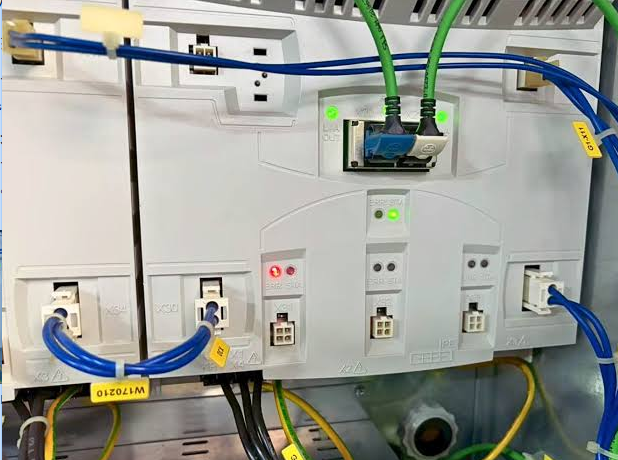
The 00-138-382 is used for connections within the KUKA robot system. After long-term exposure to dragging, bending, compression, and oil contamination, the cable is prone to internal core breakage or poor connector contact.
The key to on-site diagnosis is first determining the fault scope, then deciding on the repair target. During inspection, record alarms, axis numbers, robot postures, and recurrence conditions to avoid replacing components based solely on a single alarm.
- Common Fault Manifestations
- The robot triggers an alarm when moving to a fixed position.
- The fault temporarily resolves after changing posture.
- Intermittent communication interruptions occur between the control cabinet and the robot.
- Cable sheath cracking, loose plugs, or burnt pins.
- Possible Causes
- Internal wire breakage at active bending points.
- The cable has been subjected to excessive stretching or compression.
- Connector locking failure, pin oxidation, or pin retraction.
- Damage to the shielding layer and grounding.
- Mismatched cable model, length, or pin configuration.
- On-site Troubleshooting Sequence
- Record the fault posture, alarm, and cable stress direction.
- Inspect the cable outer sheath, bending points, drag chains, and fixing clamps.
- Inspect the connectors, pins, and locking mechanisms at both ends.
- Check the continuity and insulation of suspicious circuits according to the electrical diagrams.
- After confirming cable damage, replace it with a cable of identical configuration.
- Verification Before Replacing Components
Verify the robot model, control cabinet version, complete 00-138-382 part number, length, connectors at both ends, and pin configuration.
Similar appearance does not mean direct interchangeability. Before procurement, provide the complete equipment model, original component nameplate, interface photos, controller model, and alarm information.
- Post-repair Verification and Commissioning
After replacement, start at low speed and cover the robot's full range of motion, focusing on repeating the original fault posture, then proceed with automatic program and long-duration operation tests.
After repair completion, also save the test results, replacement part numbers, and final parameters to facilitate tracking by subsequent maintenance personnel.
- Summary
When handling such faults, follow the troubleshooting sequence of alarm records, power supply and connections, feedback circuits, mechanical load, and the component itself. Only after confirming external conditions are normal should you further judge whether the target component needs repair or replacement.
Industrial Robot Repair Hotline: +86 18122009539
Contact Repair Engineer: +86 18122009539