
How to Inspect After an Abnormal Power Outage in the Robot Control Cabinet? Steps for Restoring Power and Data Verification
After an abnormal power outage in the control cabinet, inspect the power supply, fuses, power module, stored data, zero point status, and alarm log, then restore robot operation in stages.
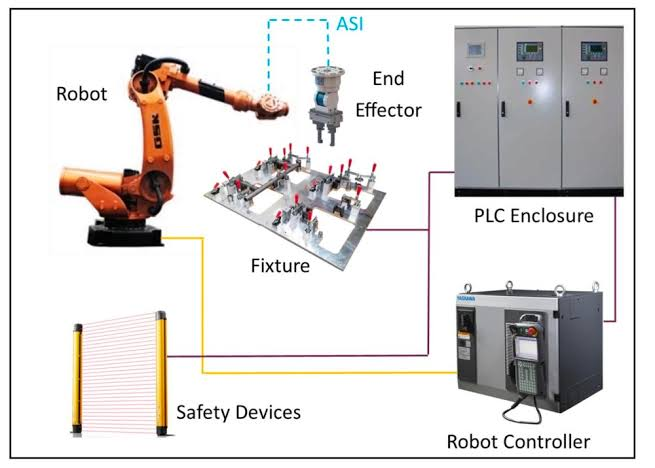
After a sudden power outage on the production floor, contactor tripping, or power module protection, immediately and repeatedly restoring power may expand the fault. Abnormal power outages may also expose issues with battery aging and storage media.
- Key Inspection Points
- Confirm the status of the external power supply, voltage, phase sequence, grounding, circuit breakers, and the control cabinet's incoming lines.
- Inspect fuses, contactors, the power module, for any burnt odor, and traces of abnormal heating.
- After restoring power, observe the startup process, complete alarms, and event timestamps.
- Verify the integrity of programs, parameters, zero points, revolution counters, and network configurations.
- Handling Steps
- First, disconnect any peripheral loads that may be short-circuited, then restore power according to the equipment's procedures.
- Save the fault log and a current system backup to avoid overwriting evidence with subsequent operations.
- Complete low-speed jogging checks for each axis, safety circuit checks, and communication checks with external devices.
- After confirming that the data and mechanical positions are consistent, restore the automatic program and normal cycle time.
- Common Misconceptions
- Continuously resetting and restoring power without identifying the cause of the trip.
- Running the original automatic program directly when the zero point status is abnormal.
- Only confirming the robot startup without checking peripheral devices and safety interlocks.
- Summary
After an abnormal power outage in the control cabinet, inspect the power supply, fuses, power module, stored data, zero point status, and alarm log, then restore robot operation in stages.
Industrial Robot Repair Hotline: +86 18122009539
Contact Repair Engineer: +86 18122009539