
How to Troubleshoot Unstable Arc Initiation in Welding Robots? Signal, Grounding, and Wire Feeding System Inspection
Unstable arc initiation in welding robots may originate from the welding power source, wire feeding, welding torch, grounding, process parameters, and robot interface signals, requiring troubleshooting along the process chain.
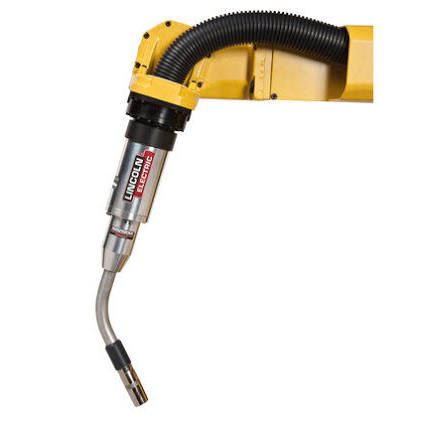
Arc initiation failure, arc breakage, or increased weld spatter are not necessarily robot trajectory issues. The welding system consists of the robot, welding machine, wire feeder, welding torch, grounding, and workpiece.
- Key Inspection Points
- Record the arc initiation failure position, workpiece batch, welding program, alarms, and welding machine status.
- Inspect the welding torch contact tip, nozzle, wire feed rollers, wire feeding resistance, and gas flow rate.
- Verify the workpiece grounding location, contact area, cable temperature rise, and circuit connections.
- Check the robot welding enable, arc initiation, success feedback, and welding machine communication signals.
- Troubleshooting Steps
- First, use a fixed test weld to distinguish between process issues and trajectory issues.
- Clean or replace the contact tip, wire feed liner, and worn welding torch components.
- Repair the grounding circuit and inspect welding cables, interfaces, and shielding.
- After treatment, verify continuous arc initiation, welding in different positions, and actual weld quality.
- Common Misconceptions
- Only adjusting current and voltage parameters without checking wire feeding and grounding.
- Repeatedly retrying after arc initiation failure, causing damage to the torch and workpiece.
- Mistaking welding machine alarms for robot controller faults.
- Summary
Unstable arc initiation in welding robots may originate from the welding power source, wire feeding, welding torch, grounding, process parameters, and robot interface signals, requiring troubleshooting along the process chain.
Industrial Robot Repair Hotline: +86 18122009539
Contact Repair Engineer: +86 18122009539